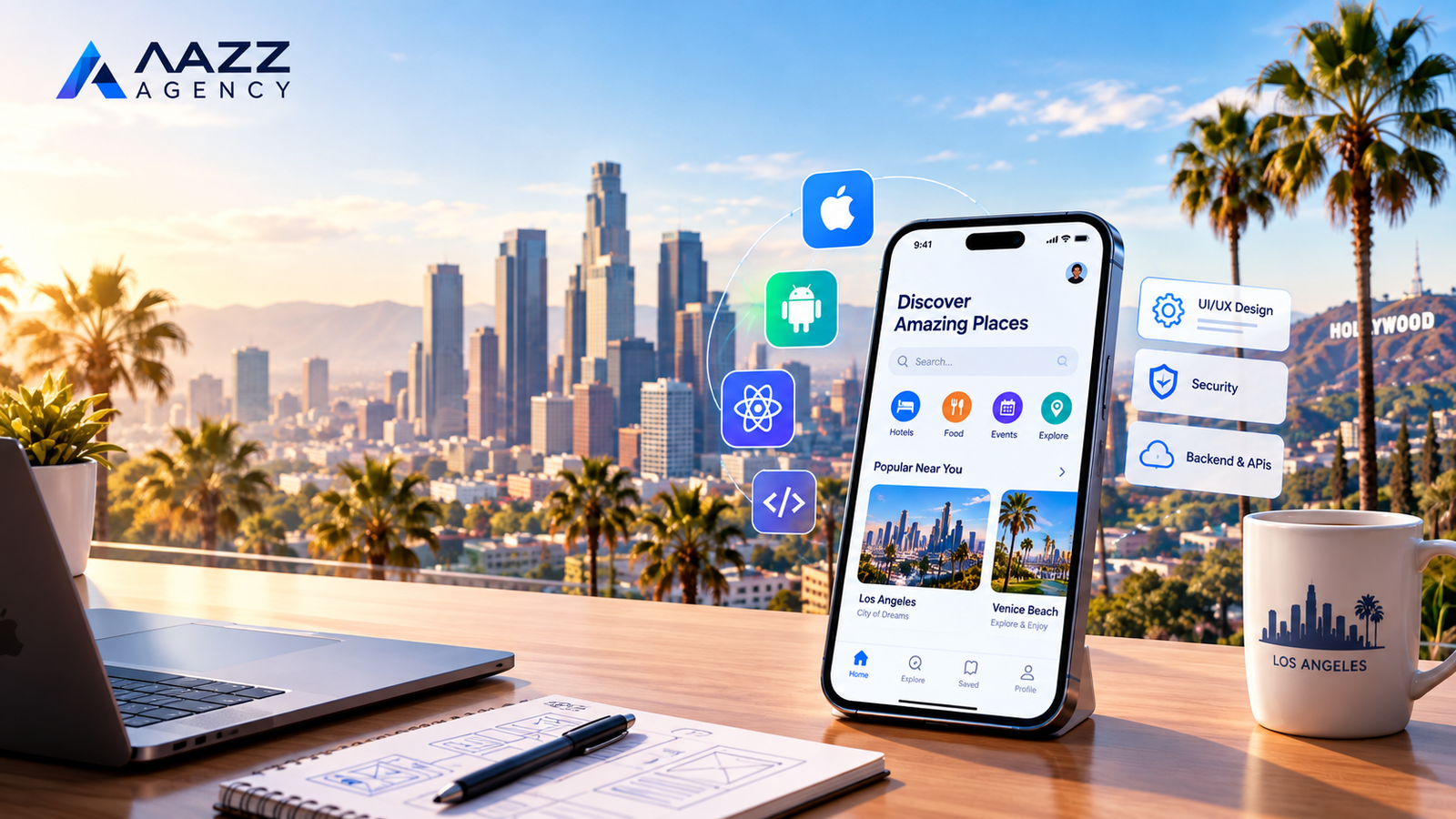
Mobile App Development in Los Angeles, CA — Building Apps That Drive Business Growth
Los Angeles is home to a diverse business community, including startups, entertainment companies, eCommerce brands, healthcare providers, real estate businesses, and professional service providers. As customers increasingly expect convenient digital experiences, businesses need effective ways to connect with their audiences, deliver services, and remain competitive.
Mobile app development gives businesses an opportunity to turn those needs into practical digital solutions. A well-planned mobile application can help customers purchase products, book appointments, manage accounts, communicate with a business, and access services directly from their smartphones.
However, building a successful app involves more than writing code. It requires a clear business strategy, user-focused design, reliable technology, secure data management, and ongoing improvements based on customer feedback.
Whether you are launching a startup in Los Angeles or expanding an established company, choosing the right development partner can help you move from an initial concept to a functional product designed around your business goals.
At Aazz Agency, businesses can explore digital solutions that support their online presence and growth objectives, including website development and mobile application projects.
What Is Mobile App Development?
Mobile app development is the process of planning, designing, building, testing, launching, and maintaining applications for mobile devices such as smartphones and tablets.
These applications can serve different purposes depending on the business model, target audience, and problems the product is designed to solve.
For example, an eCommerce company might need an app that allows customers to browse products and complete purchases. A service provider might require appointment scheduling, customer accounts, and payment processing. Meanwhile, a startup could develop a subscription-based platform that delivers specialized digital services.
A professional mobile application development process generally includes the following stages:
-
Business discovery: Identifying your objectives, target customers, competitors, and essential requirements.
-
UI/UX design: Creating intuitive interfaces and user journeys that make the app easy to navigate.
-
App development: Building the application using technologies suited to its features and intended platforms.
-
Backend development: Setting up databases, APIs, authentication, and server-side functionality where required.
-
Quality assurance: Testing performance, usability, compatibility, and security.
-
Deployment: Preparing the application for release through the relevant distribution channels.
-
Maintenance: Fixing issues, improving performance, and updating features as requirements evolve.
Following a structured process helps businesses avoid unnecessary complexity and focus their resources on features that provide genuine value to users.
Why Los Angeles Businesses Are Investing in Mobile Applications
Los Angeles businesses operate across highly competitive industries. Customers may compare several providers before choosing a product or service, making convenience, reliability, and customer experience important differentiators.
A mobile application can help a business create a more direct relationship with its audience while supporting everyday operations.
1. Improve Customer Convenience
Customers often prefer completing tasks without unnecessary steps. A well-designed app can make common activities faster and easier.
Depending on the business, these activities may include:
-
Booking appointments without making a phone call.
-
Ordering products and tracking deliveries.
-
Accessing account information and purchase histories.
-
Receiving updates about orders or scheduled services.
-
Managing subscriptions and recurring payments.
-
Contacting customer support through convenient channels.
The most effective apps prioritize the tasks customers perform most frequently rather than overwhelming users with unnecessary features.
2. Create More Opportunities for Revenue
A mobile application can introduce new ways to sell products, deliver services, or monetize a digital offering.
For instance, an eCommerce business could offer a smoother mobile shopping experience, while a fitness company might provide paid memberships, personalized programs, or premium content.
A startup could also build a subscription platform or a marketplace connecting customers with service providers.
Revenue potential depends on the business model, market demand, product quality, pricing, and customer acquisition strategy. Simply launching an app does not guarantee sales, but a carefully designed product can create additional opportunities for growth.
3. Strengthen Customer Engagement
Mobile applications can support ongoing customer relationships through features such as account dashboards, personalized recommendations, loyalty programs, and relevant notifications.
A restaurant might use its app to support online ordering and reward returning customers. A professional service company could allow clients to review project updates, manage bookings, or access important documents.
The objective is to provide useful functionality that encourages customers to return because the application solves a real problem.
Notifications should remain relevant and appropriately timed. Excessive or unwanted messages can frustrate users and reduce engagement.
4. Streamline Business Operations
Mobile applications are not limited to customer-facing services. They can also help employees and managers perform daily tasks more efficiently.
Businesses may develop internal apps for:
-
Employee scheduling and task management.
-
Field service reporting.
-
Inventory monitoring.
-
Sales tracking and customer relationship management.
-
Delivery coordination.
-
Secure access to business information.
When connected to appropriate business systems, these tools can reduce repetitive manual work and improve visibility into operational activities.
5. Build a Stronger Digital Presence
A business website remains important for search visibility, detailed information, and customer acquisition. A mobile app can complement that website by providing additional functionality for returning users.
For example, a company could use its website to attract new customers through organic search and direct visitors toward an app that supports ongoing purchases, bookings, or account management.
The website and app should serve complementary purposes rather than simply duplicating one another.
For many Los Angeles businesses, this combination can support a more complete digital customer journey, from discovering a service online to using it regularly through a mobile device.
Which Businesses Can Benefit from Mobile App Development?
Mobile applications can support a wide range of industries, but the right solution depends on the audience and business requirements.
eCommerce and Retail
Retail businesses can use mobile apps for product catalogs, secure checkout, order tracking, customer accounts, and loyalty programs. These features can make repeat purchases more convenient.
Restaurants and Hospitality
Restaurants, cafés, and hospitality businesses can offer reservations, digital menus, online ordering, loyalty rewards, and customer updates through a dedicated application.
Healthcare and Wellness
Depending on applicable regulations and technical requirements, healthcare organizations may benefit from appointment scheduling, reminders, patient portals, and secure communication features.
Real Estate
Property businesses can develop apps featuring property listings, search filters, saved properties, appointment requests, and location-based discovery.
Startups and Technology Companies
Startups can turn new ideas into minimum viable products (MVPs), test assumptions with real users, and improve their products before committing to a broader feature set.
Other potential applications include education platforms, transportation services, fitness businesses, logistics companies, entertainment providers, and professional service firms.
Before investing in development, evaluate whether your customers genuinely need an app and whether its benefits justify the initial and ongoing costs.
When Should You Hire a Mobile App Development Company?
Developing an app internally may be suitable for businesses with experienced technical teams. However, companies without the necessary expertise often benefit from working with a professional app development company.
An experienced development partner can help you assess technical requirements, select an appropriate technology stack, plan the user experience, and coordinate the development process.
Consider hiring professional app developers when:
-
You have a business idea but need help turning it into a practical product.
-
Your existing website cannot support the functionality you require.
-
You need an application for both iOS and Android users.
-
Your business requires integrations with payment gateways, APIs, or existing software.
-
You need technical guidance before investing in a larger project.
-
Your current application requires significant improvements or modernization.
The key is to choose a team that understands your business objectives, communicates clearly, and can explain the reasoning behind its recommendations.
Start Planning Your Mobile App Project
A successful app begins with a clear understanding of what you want to accomplish. Before requesting a proposal, prepare a brief outline of your idea, intended audience, essential features, preferred platforms, and approximate budget.
You do not need a complete technical specification to start a conversation. A clear description of the problem you want to solve is often enough to begin evaluating possible solutions.
Ready to explore your app idea? Visit Aazz Agency to learn more about its digital services and discuss your project requirements with a potential development partner.
The next step is to understand which development approach best fits your needs, how to evaluate app developers in Los Angeles, and which technologies can support your long-term goals.
Apple's official App Store Review Guidelines explain app quality, design, privacy, and submission requirements.
How to Choose the Right App Development Company in Los Angeles, CA
Finding the Right Mobile App Development Partner
Choosing the right development partner is one of the most important decisions you will make when planning a mobile application. The team you select can influence your app's quality, usability, security, development timeline, and long-term maintenance costs.
Los Angeles businesses have different technical requirements. A startup may need a simple minimum viable product (MVP) to validate an idea, while an established company may require a sophisticated application integrated with existing business systems.
The best app development company is not necessarily the one offering the lowest price or promising the fastest delivery. It is the one that understands your business objectives, recommends an appropriate technical approach, communicates transparently, and can deliver a solution that meets your requirements.
Before making a decision, evaluate potential development partners against several important criteria.
1. Review the Company's Portfolio and Relevant Experience
A portfolio provides insight into a development team's design capabilities, technical experience, and approach to solving business problems.
Look beyond attractive screenshots. Try to understand what each application does, which audience it serves, and whether its functionality resembles the solution you want to build.
For example, if you plan to develop an eCommerce application, look for experience with product catalogs, shopping carts, payment integrations, order management, and customer accounts.
If your project involves a service marketplace, relevant experience might include user registration, provider profiles, search filters, booking workflows, messaging, and payment processing.
When reviewing a portfolio, consider the following questions:
-
Has the company worked on projects similar to yours?
-
Does its work demonstrate consistent design quality?
-
Can it explain the technical challenges involved in previous projects?
-
Are the showcased applications available for you to explore?
-
Does the team understand your industry's business requirements?
-
Can it explain how it approaches testing, security, and maintenance?
A portfolio should demonstrate relevant capabilities rather than simply list the number of projects completed.
If a company cannot publicly share certain client projects because of confidentiality agreements, ask whether it can provide anonymized case studies or explain its experience in a general consultation.
2. Evaluate the Expertise of Its App Developers
Professional app developers need more than coding skills. They should understand software architecture, user experience, testing, performance optimization, and the practical limitations of different technologies.
Depending on your project, you may need expertise in iOS development, Android development, cross-platform frameworks, backend engineering, database design, or third-party integrations.
A well-rounded development team may include:
-
Project managers: Coordinate milestones, communication, priorities, and delivery schedules.
-
UI/UX designers: Plan user journeys and create clear, accessible interfaces.
-
Mobile developers: Build and optimize the application for the selected platforms.
-
Backend developers: Develop APIs, server-side functionality, and database integrations.
-
Quality assurance specialists: Test functionality, usability, compatibility, and reliability.
-
Maintenance specialists: Support updates, troubleshooting, and improvements after launch.
Not every project requires a large team. A smaller, experienced group may be sufficient for an MVP, while a complex enterprise application could require several specialized professionals.
During your initial discussions, ask who will actually work on your project, how responsibilities are divided, and who will be your main point of contact.
These questions can help you determine whether the proposed team has the skills and capacity to complete your project successfully.
3. Understand the Difference Between Native and Cross-Platform Development
One of the first technical decisions involves choosing how your application will be developed.
The right approach depends on your budget, performance requirements, target platforms, integrations, user experience expectations, and future plans.
Native App Development
Native app development involves building an application specifically for a mobile operating system.
For iOS, developers commonly use Swift and Apple's development tools. For Android, they may use Kotlin and the Android development ecosystem.
Native development can be a suitable choice when your application requires advanced platform-specific functionality, specialized hardware access, sophisticated animations, or highly optimized performance.
Potential benefits include:
-
Direct access to platform-specific APIs and capabilities.
-
Greater control over operating-system-specific interactions.
-
Flexibility for advanced features and complex user experiences.
-
Strong integration with the relevant platform ecosystem.
However, developing separate native applications for iOS and Android can require additional development and maintenance resources because some work must be performed independently for each platform.
React Native App Development
React Native is a framework that enables developers to build mobile applications for multiple platforms using React and JavaScript or TypeScript, with native platform components.
For businesses targeting both iOS and Android, React Native app development can provide an efficient way to share substantial portions of the application codebase.
Depending on the project, potential advantages include:
-
Shared code across supported platforms.
-
Efficient development for many common application features.
-
Consistent product functionality across platforms.
-
Access to native platform capabilities when required.
-
A practical option for startups and businesses managing development budgets.
React Native is not automatically the best choice for every project. Certain applications may require native modules, platform-specific implementation, or additional engineering to meet specialized requirements.
Your development partner should explain the trade-offs rather than recommending a framework simply because it is familiar to the team.
Which Approach Is Right for Your Business?
Consider these general guidelines when evaluating your options:
-
Choose native development when platform-specific capabilities, specialized performance requirements, or deep operating-system integration are central to the product.
-
Consider React Native when you want to support both major mobile platforms while sharing code and maintaining a coordinated development process.
-
Evaluate the complete architecture when your application involves advanced hardware, demanding graphics, extensive integrations, or complex background processing.
A qualified development partner should assess your requirements before recommending a solution.
For additional technical guidance, review the official React Native documentation, which explains the framework, development environment, and platform considerations.
4. Look for a Clear and Transparent Development Process
A professional app development company should be able to explain how your project will progress from the initial idea to launch.
A structured process reduces uncertainty, helps you prioritize features, and provides opportunities to identify problems before they become expensive to fix.
Although workflows vary between companies, a typical project includes several stages.
Discovery and Planning
The development team learns about your business, intended audience, competitors, objectives, and functional requirements.
During this phase, the team may prepare a project scope, technical recommendations, initial budget estimate, and delivery roadmap.
UI/UX Design
Designers create wireframes and visual layouts to demonstrate how users will navigate the application.
Reviewing these designs before development begins can help you identify confusing workflows, unnecessary features, or missing functionality.
Development and Integration
Developers build the mobile application, connect backend services, and integrate relevant systems such as payment gateways, analytics platforms, or customer databases.
Work may be divided into smaller milestones so you can review progress throughout the project.
Testing and Quality Assurance
The team checks whether the application behaves as expected across relevant devices and operating-system versions.
Testing should cover essential workflows, error handling, performance, accessibility, and security considerations.
Launch and Ongoing Support
Once the application is ready, the team prepares the required release materials, addresses store submission requirements, and supports the launch process.
Your agreement should also explain what happens after release, including bug fixes, operating-system updates, maintenance, and additional feature development.
A transparent process gives you a clearer understanding of what you are paying for and what you can expect at each stage.
5. Compare Pricing, Project Scope, and Long-Term Costs
Development costs can vary significantly depending on the app's complexity, number of platforms, design requirements, integrations, security needs, and the experience of the development team.
A basic application with a limited number of screens and straightforward functionality will generally require less work than a marketplace with real-time communication, multiple user roles, complex payments, and an extensive backend.
When comparing proposals from mobile app developers, avoid evaluating them on the quoted price alone.
Instead, check whether each proposal clearly defines:
-
The features included in the initial release.
-
The supported platforms and devices.
-
UI/UX design and prototyping deliverables.
-
Backend development and third-party integrations.
-
Testing and quality assurance.
-
Deployment and app store submission support.
-
Post-launch maintenance and bug fixes.
-
Ownership of the source code and project assets.
-
Payment milestones and conditions for additional work.
A low initial quote may exclude important services that another proposal includes. Conversely, a higher price does not automatically guarantee better results.
Ask each provider to explain its assumptions, exclusions, payment schedule, and process for handling changes to the agreed scope.
It is also important to plan for recurring expenses such as hosting, third-party services, software subscriptions, ongoing maintenance, and platform-related fees where applicable.
For general background on Apple's distribution process and requirements, consult the official App Store Review Guidelines.
6. Check Communication, Availability, and Project Management
Good communication helps prevent misunderstandings and keeps your project aligned with its original objectives.
This is especially important when working with a development team remotely or coordinating a project across different time zones.
Before signing an agreement, discuss how often you will receive updates, how design and development decisions will be approved, and how urgent issues will be handled.
Useful questions include:
-
Will you have a dedicated project manager or main contact?
-
How frequently will the team demonstrate working progress?
-
Which project management and communication tools will be used?
-
How will changes to features or deadlines be handled?
-
Who is responsible for approving deliverables?
-
How will delays or technical obstacles be communicated?
Look for a team that explains technical issues in understandable language and welcomes reasonable questions.
You should be able to understand the project's progress without needing to manage the developers' technical work yourself.
7. Verify Security, Privacy, and App Store Readiness
Security should be considered from the beginning rather than added as an afterthought.
Applications that handle customer accounts, financial transactions, location information, or sensitive personal data may require additional safeguards based on their functionality and applicable regulations.
Ask your development partner how it plans to address authentication, access permissions, secure communication, data storage, error handling, and dependency updates.
You should also clarify who will be responsible for maintaining the application after launch and addressing security issues that emerge over time.
For applications distributed through Apple's ecosystem, the team should understand the relevant submission and review requirements. Android applications must also be prepared in accordance with Google's applicable policies and technical requirements.
No development company can guarantee that an application will be approved by an app store, but a team familiar with the submission process can help reduce avoidable issues.
Privacy practices, permissions, disclosures, and data collection should reflect the application's actual functionality.
8. Read Client Reviews and Ask for References
Client feedback can help you understand how a company manages deadlines, communicates during difficult stages, and responds to problems after delivery.
Review several sources where possible, rather than relying entirely on testimonials published on the company's own website.
Look for specific details about project management, technical competence, responsiveness, and long-term support.
When appropriate, ask a prospective provider whether you can speak with a previous client whose project resembles yours.
Pay attention to how the company responds to criticism. A thoughtful explanation of how an issue was resolved can be more informative than a collection of vague five-star testimonials.
Why Choose a Development Partner That Understands Your Business Goals?
The most effective development relationship is based on collaboration, realistic planning, and a shared understanding of success.
Your chosen team should be willing to challenge unnecessary features, recommend practical alternatives, and prioritize functionality that matters to your customers.
For example, a startup may benefit more from launching a focused MVP and collecting feedback than from spending its entire budget on a large application before validating the concept.
An established company may need a more detailed architecture plan because the application must integrate with existing software, support larger user volumes, or satisfy industry-specific requirements.
At Aazz Agency, you can explore the agency's digital services and discuss how a mobile application could fit into your broader digital strategy.
Before committing to a project, request a clear scope of work and a discussion of your objectives, technical needs, budget, and delivery expectations.
Questions to Ask Before Hiring App Developers Near Me
If you are searching online for app developers near me in Los Angeles, use your initial consultation to evaluate the company's approach rather than relying solely on its location or marketing claims.
Consider asking:
-
What development approach do you recommend for my requirements, and why?
-
Have you built applications with similar features or business objectives?
-
What is included in your proposed project scope?
-
How will you test the application before launch?
-
Who will own the source code and associated intellectual property?
-
What ongoing support is available after release?
-
How will you communicate progress and manage scope changes?
-
What factors could affect the estimated budget or timeline?
The answers should help you compare providers based on relevant experience, transparency, and technical suitability.
Ready to Discuss Your Mobile App Idea?
Choosing the right development company starts with understanding your goals and finding a team that can translate those goals into a practical technical plan.
Whether you need a startup MVP, a customer-facing business application, or a more complex digital product, careful planning can help you make informed decisions before development begins.
Visit Aazz Agency to explore its services and start a conversation about your business requirements.
A clear project brief, realistic expectations, and the right technical partner can put your mobile application on a stronger path toward launch and future growth.
Types of Mobile Applications and the Best Development Approach for Your Business
Understanding Different Types of Mobile App Development
Before investing in a mobile application, it is important to understand the available development approaches and how each one supports different business goals. The technology selected for your project can influence its performance, development costs, user experience, maintenance requirements, and ability to scale.
Businesses in Los Angeles have different needs. An online retailer may prioritize a smooth shopping experience, while a startup may need to launch a minimum viable product quickly. An enterprise company, on the other hand, may require advanced integrations, strict access controls, and specialized functionality.
Professional mobile app development begins with identifying these requirements and selecting an approach that fits the project's objectives.
The following sections explain the major types of mobile applications, their advantages, and the situations in which each option may be appropriate.
1. Native App Development for iOS and Android
Native app development involves building applications specifically for an operating system using its supported programming languages, development tools, and platform capabilities.
For businesses targeting Apple users, native iOS development commonly involves Swift and Apple's development ecosystem. Android applications are often developed using Kotlin and Android's official development tools.
This approach can be particularly useful when an application depends on platform-specific functionality, demanding interactions, or specialized device capabilities.
Advantages of Native App Development
Native applications can offer several benefits when the project requirements justify a platform-specific implementation.
Platform-specific performance: Native development provides direct access to operating-system APIs and can be a good fit for applications with demanding performance requirements.
Integration with device features: Applications can use capabilities such as cameras, location services, Bluetooth, biometrics, and push notifications, subject to permissions and platform restrictions.
Platform-appropriate user experience: Developers can follow established iOS and Android design conventions to create familiar interactions.
Advanced functionality: Native development can be suitable for applications involving complex animations, intensive processing, specialized hardware, or sophisticated background operations.
Greater platform-level control: Teams can optimize implementation details for each operating system when specific requirements demand it.
However, native development is not automatically superior for every application. The advantages depend on the project's architecture, implementation quality, and functional requirements.
When Should You Choose Native Development?
Native development may be appropriate when:
-
Your application requires advanced platform-specific features.
-
Performance and responsiveness are critical to its core functionality.
-
Your product relies on specialized device integrations.
-
You want extensive control over the iOS or Android experience.
-
Your budget and timeline allow for platform-specific development and maintenance.
For example, a company developing a complex media-editing application may require specialized native capabilities. A business building a straightforward appointment-booking app may not need that level of platform-specific engineering.
The goal is to select a solution that meets your actual requirements without introducing unnecessary complexity.
2. iOS App Development for Apple Devices
iOS app development focuses on creating applications for Apple's mobile ecosystem, particularly the iPhone.
Businesses may choose to launch an iOS application when their target customers primarily use Apple devices, when their product requires close integration with Apple's ecosystem, or when an iPhone application is the first stage of a wider product strategy.
A professional iOS app development agency should understand the technical requirements of Apple's platforms, user interface conventions, privacy expectations, testing practices, and App Store submission process.
Essential Features of a Successful iOS Application
The features you include should depend on your audience and business model. Common possibilities include:
-
Secure account registration and authentication.
-
Personalized dashboards and user profiles.
-
In-app purchases or payment integrations where appropriate.
-
Push notifications and account updates.
-
Location-based functionality.
-
Booking, ordering, or subscription management.
-
Analytics to understand user behavior.
-
Accessibility features that support a wider range of users.
Not every app needs all these capabilities. A focused application with a small number of useful features may deliver a better experience than one overloaded with unnecessary functionality.
Why Work With Experienced iOS App Developers?
Experienced iOS app developers can help translate your requirements into a product that fits Apple's technical ecosystem.
They can assist with application architecture, interface design, device compatibility, performance testing, and preparation for App Store review.
They should also explain the responsibilities involved in maintaining the application after launch, including updates for new operating-system versions, dependency changes, and evolving security requirements.
For authoritative technical information, review Apple's official iOS developer resources. These resources explain Apple's development ecosystem and provide documentation for building applications for its platforms.
Is an iOS-First Strategy Right for Your Business?
Launching on iOS first can make sense if research shows that your intended customers primarily use iPhones or if you want to validate an initial product with a defined audience.
However, your decision should be based on evidence rather than assumptions about which platform is more profitable.
Before committing to an iOS-first launch, consider your customers' devices, expected demand, development budget, competitive landscape, and plans for future Android support.
3. Android App Development for a Broader Device Ecosystem
Android app development enables businesses to reach users across a wide range of smartphones, tablets, and supported devices.
The Android ecosystem includes devices from multiple manufacturers, with differences in screen sizes, hardware capabilities, operating-system versions, and device configurations. As a result, compatibility testing is an important part of the development process.
Businesses may choose Android development when their target audience uses Android devices, when they need to support a wide range of hardware, or when their product is designed around Android-specific capabilities.
Important Considerations for Android Applications
A successful Android application should provide a consistent and reliable experience across the devices it intends to support.
Development teams should consider:
-
Screen layouts and responsive interface behavior.
-
Device and operating-system compatibility.
-
Permissions and privacy controls.
-
Battery consumption and resource management.
-
Network conditions and offline behavior where required.
-
Security updates and dependency management.
-
Accessibility and usability.
-
Google Play distribution requirements.
The exact testing strategy depends on the expected audience and supported devices. A company targeting a defined group of enterprise devices may need a different compatibility plan from a consumer application intended for a broad market.
When Is Android Development a Good Choice?
Android development can be appropriate for businesses targeting Android users, applications requiring particular device integrations, and products that need to operate across a diverse hardware ecosystem.
For example, a logistics company may need an application for drivers and field staff, while a retail business might need an Android app for customer ordering or internal inventory operations.
The development team should help you define which devices and operating-system versions will be supported so that compatibility requirements remain manageable.
4. React Native App Development for Multiple Platforms
React Native is a framework that allows developers to create mobile applications for iOS and Android using React and JavaScript or TypeScript, with native platform components.
For many businesses, React Native app development offers a practical way to build applications for both major mobile platforms while sharing substantial portions of the codebase.
This approach can reduce duplicated development work for suitable projects. However, actual savings depend on the application's architecture, design requirements, integrations, testing needs, and the amount of platform-specific functionality involved.
Benefits of React Native Development
Shared codebase: Many features can be implemented once and reused across supported platforms, although some platform-specific code may still be necessary.
Efficient feature development: Shared components can simplify the implementation of common functionality.
Consistent product logic: Business rules and data-handling logic can often be reused across iOS and Android versions.
Flexible development: React Native supports native modules and platform-specific implementation when a project requires them.
Suitable for many business applications: Booking systems, customer portals, retail apps, and service platforms may be suitable candidates, depending on their technical requirements.
Potential Limitations to Consider
React Native is not a universal solution. Some projects may require native development for specialized hardware integrations, performance-sensitive operations, or platform-specific capabilities.
The framework and its dependencies also require maintenance as operating systems, libraries, and development tools evolve.
A development team should assess these considerations before recommending React Native for your project.
Who Should Consider React Native?
React Native may be a good fit for:
-
Startups launching an app for iOS and Android.
-
Businesses building customer portals.
-
eCommerce brands creating mobile shopping experiences.
-
Service providers offering appointments and account management.
-
Companies that want to share application logic across platforms.
-
Organizations seeking to maintain a coordinated cross-platform product.
For example, a Los Angeles-based home services company could use React Native to create an app that lets customers request appointments, receive notifications, manage bookings, and view service histories on both iOS and Android.
The final choice should reflect the application's complexity and the needs of its intended users.
For further information, consult the official React Native documentation.
5. Cross-Platform App Development: One Product, Multiple Platforms
Cross-platform app development is a broader approach to building applications that support multiple operating systems through a shared development framework or codebase.
React Native is one example of this approach. Other frameworks, such as Flutter, provide alternative ways to build cross-platform applications.
The main objective is to deliver a consistent product across supported platforms while managing development effort efficiently.
Why Businesses Consider Cross-Platform Development
Developing separate applications can involve duplicating some design, implementation, and maintenance work. Cross-platform approaches can reduce that duplication when features and user experiences can be shared effectively.
Potential advantages include:
-
Coordinated development across iOS and Android.
-
Reuse of suitable business logic and components.
-
More consistent implementation of shared features.
-
Simplified management of certain product updates.
-
An opportunity to plan a unified release strategy.
Nevertheless, cross-platform applications still require platform-specific testing. Differences in permissions, notifications, device capabilities, screen layouts, and store requirements cannot simply be ignored.
Businesses should also consider the long-term availability of framework expertise and the maintenance needs of the chosen technology.
React Native vs. Other Cross-Platform Options
The best framework depends on your team's skills, existing technology, product requirements, and preferred architecture.
For example, React Native may appeal to teams already working with React and JavaScript or TypeScript. Flutter may be attractive when a project benefits from its widget-based approach and associated development tools.
Neither option is automatically best for every business.
Ask your development partner to explain why its recommended framework fits your project and how it will handle platform-specific requirements, testing, upgrades, and ongoing support.
6. Progressive Web Apps and Mobile-Friendly Websites
Not every business needs a traditional mobile application. In some situations, a responsive website or progressive web app (PWA) may be a more practical starting point.
A progressive web app uses web technologies to deliver an app-like experience through a compatible browser. Depending on browser and operating-system support, it may offer capabilities such as installation, offline functionality, and notifications.
A responsive website, meanwhile, adjusts its layout to provide a usable experience across desktop computers, tablets, and mobile phones.
When a Website or PWA May Be Enough
Consider these alternatives if:
-
Customers primarily need to browse information.
-
Your business relies on organic search and website inquiries.
-
You need to validate demand before investing in a full application.
-
Your required features can be delivered effectively through web technologies.
-
You want to avoid maintaining separate mobile applications initially.
For example, a local consulting firm may receive most of its leads through search engines and a contact form. A well-designed website may serve its needs better than a standalone app.
By contrast, a subscription platform requiring frequent user interaction, advanced device integrations, or a dedicated mobile experience may benefit from a native or cross-platform application.
The important question is not whether an app sounds more impressive than a website. It is which solution best serves your customers and business objectives.
7. Backend Development and API Integration
A mobile application's visible interface is only one part of the overall product. Many applications also require backend systems to manage data, authenticate users, process transactions, and connect different services.
Backend development may involve server-side programming, databases, APIs, cloud infrastructure, access controls, and monitoring tools.
For example, an online ordering application may need to synchronize product availability, store customer orders, process payment requests through a payment provider, and send status updates.
A booking platform may require availability management, scheduling rules, user notifications, and administrative dashboards.
Common Backend Features
Depending on the application, the backend may support:
-
User registration and account management.
-
Database storage and retrieval.
-
API integrations with external systems.
-
Payment processing through suitable providers.
-
Push notification services.
-
Content and product management.
-
Analytics and reporting.
-
Role-based permissions.
-
Logging, monitoring, and backups.
The architecture should match the product's actual requirements. Overengineering a small MVP can increase costs unnecessarily, while an inadequate backend can create problems when usage grows.
Security also needs to be considered throughout development, including appropriate authentication, authorization, secure communication, and protection of sensitive information.
A qualified development team should explain how the mobile application will communicate with its backend and how the system will be maintained over time.
8. Minimum Viable Products for Startups
A minimum viable product is an early version of a product that includes enough functionality to test important assumptions with real users.
Rather than building every planned feature immediately, startups can focus on the core problem and the smallest useful set of capabilities.
This approach can help businesses learn whether customers value the proposed solution before investing in a more extensive product.
How to Plan an Effective MVP
Start by identifying the main problem your application will solve.
Next, define the essential user journey and prioritize the features necessary to complete it. Separate must-have functionality from improvements that can be introduced later.
For example, an early service-booking MVP might include:
-
Customer registration and login.
-
A list of available services.
-
Appointment selection and booking.
-
Basic booking confirmations.
-
A simple administrative interface.
Advanced analytics, complex loyalty programs, and extensive personalization may be postponed until the business has evidence that these features are needed.
Once the initial version is available, gather feedback, examine usage patterns, fix usability issues, and decide which improvements should be prioritized.
An MVP should still meet appropriate standards for reliability, privacy, and security. Limiting the feature set does not mean neglecting essential quality requirements.
How to Choose the Right Development Approach
The following comparison can help you begin evaluating your options.
| Development approach | Best suited for | Main consideration |
|---|---|---|
| Native iOS | Apps focused on Apple devices | Platform-specific implementation |
| Native Android | Apps focused on Android users | Device and version compatibility |
| React Native | Many cross-platform business apps | Framework and native integration requirements |
| Other cross-platform frameworks | Apps that benefit from shared development | Framework suitability and long-term support |
| Responsive website or PWA | Web-first services and simpler app-like experiences | Browser and platform capability differences |
| MVP-first development | Startups validating an idea | Careful feature prioritization |
This comparison is a starting point, not a substitute for a technical assessment. Your final choice should account for your target audience, budget, desired functionality, launch plans, and maintenance resources.
Build a Mobile Application Around Your Business Goals
The right development approach should support your business rather than force your business to fit a particular technology.
Before committing to a framework or platform, clarify what users need to accomplish, which devices they use, which integrations are essential, and what success will look like after launch.
If you need help exploring your options, visit Aazz Agency to learn about its digital services and discuss your mobile application requirements.
A clear plan can help you choose an appropriate development approach, manage your investment, and build a product that can evolve alongside your business.
Essential Features Every Successful Mobile Application Should Have
Building a Mobile App That Customers Actually Want to Use
A successful mobile application should do more than look attractive. It should solve a real problem, make important tasks easier, and give users a reason to return.
For businesses investing in mobile app development in Los Angeles, CA, choosing the right features is an important part of controlling development costs and creating a product that customers find valuable.
A startup developing a service-booking app will have different requirements from an eCommerce brand, healthcare provider, or entertainment company. Adding every possible feature at launch can increase complexity, delay delivery, and make the application harder to use.
Instead, businesses should prioritize functionality based on customer needs, business objectives, and the application's intended purpose.
Let's explore the essential features, advanced capabilities, and design principles that can help make a mobile application more useful and competitive.
1. Simple Registration and Secure User Authentication
Registration is often one of the first interactions users have with an application. If the process is confusing or unnecessarily long, some users may leave before experiencing the product's main benefits.
An effective registration experience should request only the information needed to provide the service.
Depending on the application, authentication options may include:
-
Email address and password.
-
Phone number verification.
-
Sign-in through supported identity providers.
-
Biometric authentication where supported and appropriately configured.
-
Multi-factor authentication for accounts requiring additional protection.
For example, an online shopping app may allow customers to browse products before creating an account. Registration can then be requested when the user wants to save preferences, complete an order, or access additional account features.
A business application handling confidential information may require stricter authentication and access controls.
Best Practices for User Authentication
Keep registration forms short and explain why any requested information is necessary. Provide clear instructions for password recovery and account verification.
Authentication should also be implemented securely. Development teams need to consider session management, authorization, secure credential handling, and protection against common security vulnerabilities.
For applications using third-party authentication providers, the implementation should follow the relevant provider's requirements.
The goal is to balance convenience with appropriate protection rather than making users navigate unnecessary security steps.
2. Intuitive UI/UX Design
User interface (UI) design determines how an application looks, while user experience (UX) design focuses on how people interact with it and accomplish their goals.
Both are essential to a successful mobile application.
A visually impressive app can still frustrate users if the navigation is confusing, buttons are difficult to reach, or important information is hidden behind too many screens.
Professional app developers should design around the tasks users need to complete rather than simply following visual trends.
What Makes a Mobile App Easy to Use?
An intuitive application generally includes:
-
Clear navigation and understandable labels.
-
Consistent layouts and familiar interaction patterns.
-
Readable typography and appropriate contrast.
-
Buttons and controls that are easy to use on mobile screens.
-
Helpful error messages and confirmation states.
-
Logical forms with minimal unnecessary input.
-
Accessible design that considers different user needs.
For example, a restaurant ordering app should make it easy to browse the menu, customize an order, review the total, and complete checkout.
A booking application should clearly display available times, service details, and confirmation information.
These design decisions can reduce confusion and help users complete important actions more confidently.
Why User Testing Matters
Design decisions should not depend entirely on personal preferences or internal opinions.
Usability testing allows businesses to observe how real users interact with an application and identify problems that may not be obvious to its creators.
Testing can reveal issues such as unclear labels, difficult navigation, confusing checkout steps, and missing information.
Addressing these problems before launch can reduce the need for expensive redesigns later.
3. Fast Performance and Reliable Functionality
Application performance affects how smoothly users can complete their tasks.
Long loading times, frequent crashes, frozen screens, and unresponsive controls can damage the user experience even when the application offers useful features.
Performance should therefore be considered throughout development, not only after the product is complete.
Important Performance Considerations
A professional development team should evaluate:
-
Application startup time.
-
Screen transitions and interaction responsiveness.
-
Network requests and API response times.
-
Image sizes and media optimization.
-
Memory and battery consumption.
-
Database queries and data processing.
-
Error handling and recovery behavior.
-
Performance across supported devices.
For applications that depend on internet connectivity, developers should also consider how the app behaves when a connection is slow or temporarily unavailable.
Depending on the product, useful techniques may include caching, pagination, background processing, and optimized network requests.
However, optimization methods should be selected according to actual performance measurements. Adding technical complexity without evidence of a problem can create unnecessary maintenance work.
Test on Real Devices
Emulators and simulators are useful development tools, but testing on representative physical devices can reveal additional issues involving hardware, network conditions, notifications, permissions, and device-specific behavior.
The testing plan should reflect the intended audience and supported operating-system versions.
4. Push Notifications That Provide Real Value
Push notifications allow applications to send relevant updates to users, subject to operating-system permissions and applicable platform rules.
When implemented thoughtfully, notifications can help customers stay informed about activities that matter to them.
Examples include:
-
Order confirmation and delivery updates.
-
Appointment reminders.
-
Booking changes.
-
Account security alerts.
-
Relevant product availability updates.
-
Important service announcements.
For instance, a Los Angeles home services company could send an appointment reminder before a scheduled visit. An eCommerce application might notify a customer when an order has shipped.
These messages provide practical value because they relate directly to an action the customer has taken.
Avoid Notification Overload
Sending too many messages can annoy users and encourage them to disable notifications or stop using the app.
Businesses should make notification preferences easy to manage and avoid sending irrelevant promotional messages.
Where personalization is appropriate, notifications should be based on legitimate user preferences and permitted data use.
The objective is to improve the customer experience, not to maximize the number of messages sent.
5. Secure Payment Processing and Checkout
Applications that sell products, accept service bookings, or support paid subscriptions may require payment functionality.
A smooth checkout experience can make it easier for customers to complete purchases, while confusing forms or unexpected charges can cause frustration.
The right payment approach depends on the business model, supported countries, transaction types, and applicable platform policies.
Essential Payment Features
Depending on the product, payment functionality may include:
-
Clear pricing and order summaries.
-
Integration with suitable payment providers.
-
Transaction confirmation and receipts.
-
Refund and cancellation workflows.
-
Payment status tracking.
-
Appropriate handling of failed transactions.
-
Secure payment-related communication.
-
Fraud prevention measures where needed.
Businesses should also distinguish between payment methods used for physical goods or services and those used for digital content or subscriptions. App store rules may differ according to the transaction and applicable exceptions.
Protecting Customer Information
Payment information must be handled carefully. Using an established payment provider can reduce the need for a business to directly process or store sensitive card details, although it does not remove every security or compliance responsibility.
Development teams should follow applicable security requirements, protect credentials, limit access to sensitive information, and avoid storing payment details unnecessarily.
Before selecting a provider, compare its supported markets, transaction fees, settlement processes, integration options, and refund capabilities.
6. Search, Filters, and Personalized Discovery
Search functionality can make applications easier to use when they contain many products, services, listings, or other items.
A basic search feature may be sufficient for a small catalog, while a larger marketplace may require filters, sorting, autocomplete, and more advanced discovery tools.
For example, a property application could let users filter listings by location, price, property type, and number of bedrooms.
An eCommerce application might offer searches by product name, category, price range, or availability.
Features That Improve Discovery
Depending on the application, useful capabilities may include:
-
Keyword-based search.
-
Category navigation.
-
Sorting by relevant criteria.
-
Filters that can be combined.
-
Suggestions for incomplete search terms.
-
Saved searches and favorites.
-
Recently viewed items.
-
Relevant recommendations.
Personalized recommendations should be introduced when they offer a meaningful benefit and can be supported by suitable data and privacy practices.
For a smaller application, a straightforward search interface may be more useful than a complex recommendation engine.
7. User Profiles and Account Management
User profiles allow customers to manage the information associated with their accounts.
Depending on the business model, an account area may include personal details, saved preferences, booking history, order status, invoices, subscriptions, or communication settings.
A well-designed account section should make frequently used information easy to find.
Useful Account Features
-
Editing profile details.
-
Managing saved addresses where applicable.
-
Reviewing order or booking history.
-
Updating notification preferences.
-
Changing authentication settings.
-
Accessing receipts and account information.
-
Requesting account deletion where required.
-
Contacting customer support.
Applications serving businesses may require different account structures, including separate roles for customers, employees, service providers, and administrators.
Each role should have access only to the functions and information necessary for its responsibilities.
8. Integration With Existing Business Systems
Many applications need to exchange information with other software.
For example, a retail app may need to synchronize product information with an inventory system, while a service-booking app may need to connect with scheduling software and customer relationship management tools.
API integrations can help different systems communicate without requiring employees to manually transfer every piece of information.
Common Integration Opportunities
Depending on the project, integrations may include:
-
Customer relationship management (CRM) systems.
-
Inventory and order management platforms.
-
Booking and scheduling tools.
-
Payment service providers.
-
Email and notification services.
-
Analytics platforms.
-
Mapping and location services.
-
Customer support software.
Before development begins, identify which systems are essential and confirm that suitable APIs or integration methods are available.
The team should also plan for authentication, data synchronization, error handling, rate limits, and changes to external services.
A well-designed integration can improve operational efficiency, but poorly planned integrations may introduce reliability problems or unexpected costs.
9. Analytics and Performance Monitoring
Launching an application is only the beginning of the product lifecycle.
Businesses need to understand whether users can find important features, where they encounter difficulties, and which functions contribute to their objectives.
Analytics can provide useful evidence for deciding what to improve next.
What Should You Measure?
Depending on your business model, relevant metrics may include:
-
Number of new registrations.
-
Activation and onboarding completion rates.
-
Engagement with important features.
-
Booking or purchase conversion rates.
-
Checkout abandonment.
-
User retention.
-
Crash frequency and technical errors.
-
Response times for important operations.
-
Customer feedback and support requests.
For example, an online retailer might discover that customers frequently abandon checkout at a particular step. Investigating the issue could reveal confusing shipping information, an unexpected fee, or a technical problem.
A booking platform might find that users search for services but struggle to select an available time.
Analytics should help answer specific business questions rather than collect information without a clear purpose.
Businesses should implement appropriate consent, privacy notices, data minimization, and retention practices according to applicable requirements.
10. Accessibility and Inclusive Design
Accessibility helps people with different abilities use an application more effectively.
An accessible app may support users who rely on screen readers, need larger text, prefer alternative input methods, or have difficulty distinguishing certain colors.
Accessibility also improves usability for people working in bright environments, using older devices, or navigating an application under challenging conditions.
Practical Accessibility Improvements
Development teams can:
-
Provide meaningful labels for interface controls.
-
Maintain sufficient text and interface contrast.
-
Support text resizing where practical.
-
Avoid relying on color alone to communicate information.
-
Make interactive elements easy to identify.
-
Provide useful error messages.
-
Support assistive technologies.
-
Test key workflows with accessibility tools.
Accessibility requirements vary depending on the application, target markets, and applicable laws or standards.
Considering accessibility during design is generally more effective than trying to correct every issue after the application has been completed.
11. Location-Based Features
Location-based functionality can be useful for businesses that operate in physical locations or deliver services to customers.
For example, a Los Angeles restaurant application might help users find a nearby branch, while a service marketplace could use location information to identify providers serving a particular area.
Potential features include:
-
Store and branch discovery.
-
Maps and directions.
-
Delivery address selection.
-
Nearby service availability.
-
Location-based booking.
-
Route information where appropriate.
Location access should be requested only when it serves a clear purpose. Applications should explain why location information is needed and provide reasonable alternatives when users decline permission, where feasible.
The implementation should also account for accuracy, battery usage, privacy expectations, and relevant platform restrictions.
12. Offline Access and Synchronization
Some applications need to remain useful when internet connectivity is unreliable.
Offline functionality may allow users to view previously downloaded content, draft information, or complete certain tasks that can safely be synchronized later.
For example, a field service application could allow employees to record basic job notes while working in an area with poor reception.
Once connectivity returns, the app could synchronize the information with the backend.
However, not every action should be available offline. Transactions, account changes, and other sensitive operations may require server verification.
Development teams should carefully plan conflict resolution, data freshness, synchronization failures, and secure local storage.
13. Administrative Dashboards and Management Tools
Many business applications require an administrative interface in addition to the mobile experience.
An administrative dashboard can allow authorized employees to manage content, review bookings, update products, respond to users, and monitor important business activities.
For a marketplace, separate dashboards may be needed for customers, providers, and administrators.
For a retail business, staff may need tools for inventory updates, order management, promotions, and customer support.
Administrative access should be protected through appropriate authentication and role-based permissions.
The dashboard should also be designed around actual operational workflows. Including every possible management feature in the first release can increase costs without necessarily improving business outcomes.
How to Prioritize Features for Your First App Release
Not every feature needs to be included at launch. A structured prioritization process can help you focus on what customers need most while keeping the project manageable.
Step 1: Identify the Core Problem
Define the primary task your application is intended to help users complete.
Step 2: Map the Essential User Journey
Identify the minimum steps users need to move from opening the app to achieving the main objective.
Step 3: Separate Essential and Optional Features
Essential features support the core journey. Optional features improve convenience or introduce additional capabilities but may not be necessary for the initial release.
Step 4: Estimate Complexity and Dependencies
Some features require additional infrastructure, third-party integrations, security controls, or specialized testing.
Ask your development team to identify these dependencies before finalizing the scope.
Step 5: Validate With Users
Use prototypes, interviews, or an MVP to gather feedback before investing heavily in advanced functionality.
Step 6: Improve Based on Evidence
After launch, prioritize improvements using customer feedback, observed behavior, technical performance, and business objectives.
This process allows your application to evolve according to actual needs rather than assumptions.
Turn Your Feature Ideas Into a Practical App Plan
Choosing the right features is one of the most important steps in developing a successful digital product.
The best application is not necessarily the one with the most functionality. It is the one that solves its intended users' problems, provides a reliable experience, and supports the business's long-term objectives.
If you are planning an application for your Los Angeles business, Aazz Agency can be a starting point for exploring digital services and discussing your project requirements.
Prepare a short list of your main objectives, intended users, essential features, and preferred platforms before requesting a development proposal. This will make it easier to evaluate technical options and establish a realistic project scope.
With the right planning, your mobile application can become a practical part of your customer experience and wider digital strategy.
Mobile App Development Cost, Timeline, and Project Planning in Los Angeles, CA
How Much Does Mobile App Development Cost in Los Angeles?
Understanding the cost of developing a mobile application is one of the first steps toward turning a business idea into a realistic project. For startups and established businesses in Los Angeles, the total investment depends on the application's functionality, technical complexity, design requirements, supported platforms, and long-term maintenance needs.
There is no single price that applies to every project. A basic application with a few screens and straightforward functionality requires a different level of effort from a marketplace with multiple user roles, real-time messaging, payment processing, and extensive backend infrastructure.
When comparing proposals from a mobile app development company, focus on the complete scope of work rather than the headline price alone. A well-defined proposal should explain what the team will build, how the work will be delivered, which services are included, and what expenses may arise after launch.
Businesses should also distinguish between the cost of developing an application and the cost of successfully operating it. Hosting, third-party subscriptions, maintenance, customer support, and marketing can contribute to the overall investment.
Factors That Influence Mobile Application Development Costs
Several variables determine how much time and resources your application will require. Understanding them can help you make better decisions before requesting a development estimate.
1. Application Complexity and Feature Requirements
The complexity of your application is one of the most significant cost factors.
A simple application may contain informational screens, a contact form, basic navigation, and limited interactive functionality. A more advanced application may require customer accounts, personalized dashboards, payment integrations, booking workflows, messaging, notifications, and administrative tools.
Consider the difference between these examples:
-
Basic business app: Displays company information, services, contact details, and simple inquiry forms.
-
Booking application: Supports service listings, availability, appointments, reminders, and booking management.
-
eCommerce application: Includes product catalogs, customer accounts, checkout, payments, inventory connections, and order tracking.
-
Marketplace application: Connects multiple user groups and may require profiles, search, payments, reviews, messaging, and dispute management.
-
Enterprise application: May include custom permissions, advanced reporting, integrations, and organization-specific workflows.
Each additional feature introduces potential design, development, integration, and testing requirements.
Before adding functionality, ask whether it is essential to the application's primary purpose or can be introduced in a later release.
2. Native App Development vs. Cross-Platform Development
Your choice of development approach can affect the initial budget and ongoing maintenance requirements.
Native app development generally involves building separate platform-specific implementations for iOS and Android. This may be justified when the application requires specialized device capabilities, complex interactions, or extensive platform-level optimization.
Cross-platform development, including React Native, can allow businesses to share significant portions of the application code across platforms. For suitable projects, this can reduce duplicated work and help coordinate feature development.
However, cross-platform development does not automatically cost less in every situation. Some applications still require platform-specific components, native integrations, and extensive compatibility testing.
When reviewing estimates, ask developers to explain why they recommend a particular approach and how it affects the initial scope, future updates, and technical support.
3. UI/UX Design and User Experience
Design costs depend on the complexity of the user journey and the level of customization required.
A straightforward application may use a relatively simple visual system and a small number of screens. A consumer-facing product with complex navigation, personalized dashboards, or detailed interactive workflows may require more extensive research, prototyping, and usability testing.
Professional UI/UX work can include:
-
User research and requirements analysis.
-
User journey mapping.
-
Wireframes and interactive prototypes.
-
Visual interface design.
-
Design systems and reusable components.
-
Accessibility considerations.
-
Usability testing and design refinements.
Investing in design early can help identify confusing workflows before developers spend time implementing them.
The objective is not to make the application visually elaborate. It is to make important tasks easy to understand and complete.
4. Backend Development and Database Requirements
Many applications require a backend to manage information, authenticate users, process transactions, and coordinate different services.
The backend may include APIs, databases, cloud infrastructure, authentication systems, administrative tools, and monitoring capabilities.
A basic informational app may require very little custom backend functionality. A marketplace or subscription platform may need a considerably more extensive architecture.
Backend complexity can increase when a project involves:
-
Multiple account types and permission levels.
-
Real-time updates or messaging.
-
Complex business rules.
-
Large or frequently changing datasets.
-
Integration with existing company systems.
-
Advanced reporting and analytics.
-
High availability or specialized security requirements.
A development team should design the architecture around the application's actual requirements and expected usage rather than introducing unnecessary complexity.
5. Third-Party Integrations
Integrations allow an application to exchange information with external services.
Common examples include payment providers, mapping services, customer relationship management platforms, inventory systems, booking tools, and communication services.
Each integration can introduce additional work involving API configuration, authentication, testing, error handling, and ongoing compatibility.
Some providers also charge recurring subscription or usage-based fees.
Before development begins, identify the external services your app needs and confirm that they support your intended use case.
Your proposal should explain whether integration costs are included in the quoted development price and which recurring fees will remain your responsibility.
Understanding Mobile App Development Budget Ranges
Businesses often ask for an estimated price before they have finalized their requirements. General ranges can help with early planning, but they should not be treated as fixed quotations.
The following figures are illustrative planning ranges in US dollars, not verified current market averages or a quote from Aazz Agency.
| Project type | Illustrative development budget |
|---|---|
| Basic application with limited functionality | $5,000–$15,000 |
| Standard business or booking application | $15,000–$40,000 |
| Feature-rich consumer or eCommerce app | $40,000–$100,000 |
| Complex marketplace or enterprise application | $100,000+ |
Actual costs can fall outside these ranges depending on scope, location, team structure, platform requirements, and technical complexity. Some specialized applications require substantially larger budgets.
When requesting a proposal, ask whether the estimate covers design, mobile development, backend development, testing, deployment, and project management.
Also clarify whether the amount includes one platform or both iOS and Android.
A proposal that clearly defines these details is more useful than a broad estimate that leaves essential deliverables unspecified.
How to Control Your Mobile App Development Budget
Controlling development costs does not mean choosing the cheapest provider or removing every advanced feature. It means investing in the functionality that matters most and managing changes carefully.
Start With a Minimum Viable Product
A minimum viable product (MVP) is an initial version that provides enough functionality to test your core business idea with real users.
Instead of building a complete product immediately, identify the smallest useful set of features required to solve the main customer problem.
For example, an early appointment-booking application might include service listings, availability, booking confirmation, and a simple administrative interface.
Advanced reporting, loyalty programs, extensive personalization, and complex automation could be introduced later if user feedback supports the investment.
An MVP should still meet appropriate quality, privacy, and security standards. Reducing the scope should not mean neglecting essential safeguards.
Prioritize Features Before Development Begins
Create three feature groups:
-
Must-have: Required for the app's main purpose.
-
Should-have: Valuable improvements that can be added if the budget permits.
-
Future enhancements: Features that can be considered after launch and user feedback.
This approach gives your team a clearer scope and reduces the risk of continually expanding the project.
Avoid Unnecessary Scope Changes
New ideas often emerge during development. Some will be valuable, but every significant change can affect design, implementation, testing, and delivery.
Establish a process for evaluating proposed changes. Ask the team to explain the additional cost, timeline impact, technical dependencies, and business value before approving them.
Maintaining a clear scope makes it easier to monitor progress and compare actual spending with your original budget.
Request Milestone-Based Proposals
A milestone-based plan divides the project into defined stages, such as discovery, design, development, testing, and release preparation.
Each milestone should have clear deliverables and an approval process.
This structure helps both parties understand what must be completed before moving forward and makes project progress easier to assess.
How Long Does It Take to Develop a Mobile Application?
The timeline depends on the application's scope, team availability, technical requirements, design complexity, and review process.
A small application with straightforward functionality may be completed relatively quickly, while a complex product can require many months of work.
The following figures are illustrative estimates rather than guaranteed delivery times.
| Project type | Indicative timeline |
|---|---|
| Basic application | 4–8 weeks |
| Standard business app | 8–16 weeks |
| Feature-rich application | 4–8 months |
| Complex marketplace or enterprise app | 6–12 months or longer |
These estimates assume a reasonably defined scope and an organized development process. They may change if the project requires extensive integrations, regulatory reviews, specialized functionality, or substantial revisions.
App store review and release preparation can also affect the final launch date.
Phase 1: Discovery and Planning
During discovery, the team establishes the business objectives, target audience, required features, technical approach, and initial project scope.
This phase helps identify dependencies and clarify which decisions must be made before development begins.
A clear discovery process reduces the risk of building features that do not support the intended business outcome.
Phase 2: UI/UX Design
Designers prepare user journeys, wireframes, and visual concepts to demonstrate how the application will work.
You should review the proposed designs before implementation begins and provide consolidated feedback to avoid unnecessary revision cycles.
For complex products, interactive prototypes may be used to test the user experience before substantial development investment.
Phase 3: Development and Integration
Developers implement the approved functionality and connect the application to required backend services.
Depending on the project, work may include mobile interfaces, database design, API development, payment integration, account management, and administrative tools.
Regular demonstrations help you review working features and identify issues before they spread to other parts of the application.
Phase 4: Testing and Quality Assurance
Testing verifies that the application works as expected across supported devices and operating-system versions.
The team should test core user journeys, data handling, integrations, error conditions, performance, and security-related requirements.
Problems discovered during testing may require additional development and verification time.
Phase 5: Launch Preparation
Before release, the team prepares the required store listing materials, application metadata, privacy disclosures, and technical submissions.
Apple and Google have their own distribution policies and review processes, so the project plan should account for the requirements applicable to each platform.
The launch date should not be treated as guaranteed until the relevant release conditions are understood.
What Can Delay a Mobile App Development Project?
Even a well-planned project can encounter obstacles. Recognizing common risks early can help you manage expectations and respond more effectively.
Unclear Requirements
When the development team does not have a shared understanding of the expected functionality, misunderstandings and rework become more likely.
Solution: Prepare a written scope, define key user journeys, and agree on acceptance criteria before development starts.
Frequent Design Changes
Repeatedly changing approved designs can affect both the budget and timeline.
Solution: Review wireframes and prototypes carefully, gather relevant stakeholder feedback, and consolidate changes before approval.
Integration Problems
External systems may have incomplete documentation, access restrictions, technical limitations, or unexpected behavior.
Solution: Identify essential integrations early and validate their feasibility before relying on them for critical functionality.
Delayed Feedback and Approvals
Projects can stall when decisions, content, credentials, or approvals are not provided on time.
Solution: Assign a project contact, establish review deadlines, and identify who has authority to approve deliverables.
Unexpected Technical Issues
Compatibility problems, performance limitations, or security concerns may require additional work.
Solution: Include testing throughout development instead of leaving all quality checks until the end.
Planning for Long-Term App Maintenance
Launching the application is not the end of the investment. Mobile operating systems, third-party libraries, security requirements, and customer expectations continue to evolve.
Maintenance may include bug fixes, compatibility updates, dependency upgrades, performance monitoring, security improvements, backups, and small feature enhancements.
Recurring costs can also include hosting, database services, analytics tools, payment processing, and other third-party subscriptions.
The amount required depends on the application's architecture, usage, reliability requirements, and support arrangement.
Before signing an agreement, ask your development partner to clarify:
-
What post-launch support is included.
-
How long the included support period lasts.
-
Which issues qualify as defects.
-
How maintenance and new features are priced.
-
Who monitors infrastructure and service availability.
-
How source code, credentials, and backups are managed.
-
What happens if you change development providers.
A realistic maintenance plan helps prevent an application from becoming outdated or difficult to operate after launch.
Measuring the Return on Your Mobile App Investment
The value of a mobile application should be evaluated against the business problem it is intended to solve.
For some companies, the main objective is generating additional revenue. For others, the value may come from reducing administrative work, improving customer retention, streamlining bookings, or making services more accessible.
Start by defining measurable objectives before development begins.
Revenue and Conversion Metrics
An eCommerce app may track completed purchases, average order value, repeat purchases, and checkout conversion.
A booking application may measure completed bookings, cancellation rates, and the percentage of users who finish the booking process.
Operational Efficiency
An internal business app may help reduce repetitive administrative tasks, improve reporting accuracy, or shorten the time required to complete a workflow.
These improvements can be measured by comparing relevant operational metrics before and after implementation.
Customer Retention and Engagement
A subscription product may monitor retention, subscription renewals, and engagement with important features.
However, downloads alone do not demonstrate business success. An app needs to deliver continuing value to its intended users.
Establish a Realistic Measurement Plan
Choose a small set of meaningful metrics and review them regularly. Use analytics responsibly, respect applicable privacy requirements, and avoid collecting unnecessary personal information.
Where possible, compare performance against a baseline and consider other factors that could influence the results.
A mobile application can create valuable business opportunities, but results depend on market demand, product quality, customer acquisition, pricing, and ongoing execution.
Preparing a Mobile App Development Brief
Before contacting developers, prepare a short project brief. It does not need to contain every technical detail, but it should communicate your objectives clearly.
Include the following information:
-
Business overview: Describe your company, industry, and existing services.
-
Project objective: Explain the problem the application should solve.
-
Target audience: Identify the people who will use the application.
-
Core features: List the functions required for the first release.
-
Preferred platforms: Indicate whether you need iOS, Android, or both.
-
Integrations: Identify existing systems and third-party services involved.
-
Budget range: Provide a realistic investment range if available.
-
Target launch period: Share any important business deadlines.
-
Ongoing support: Explain your expectations for maintenance and updates.
This information enables prospective developers to assess the project more accurately and identify missing requirements before providing an estimate.
Discuss Your Mobile App Project With Aazz Agency
A successful application begins with a realistic scope, a clear understanding of costs, and a development plan aligned with your business objectives.
Whether you are a startup exploring an MVP or an established company planning a more advanced digital product, careful preparation can help you avoid unnecessary expenses and make better technical decisions.
Visit Aazz Agency to explore its digital services and discuss your business requirements.
Before committing to a development project, request a written proposal that outlines the deliverables, estimated timeline, payment milestones, technical approach, ownership terms, and post-launch support.
A well-defined agreement gives you a stronger foundation for managing your investment and building an application that supports your long-term goals.
The Mobile App Development Process: From Idea to Launch
Successful mobile app development requires more than writing code. A reliable process helps businesses define their goals, validate their ideas, build useful features, test the experience, and prepare the app for real users.
For businesses in Los Angeles, working with an experienced app development company can make it easier to coordinate product requirements, design, development, testing, and launch activities. Whether you are creating a startup product, a customer-facing business app, or an internal company tool, each stage should have a clear purpose.
Step 1: Define Your Business Goals and App Requirements
Before development begins, determine what you want the application to accomplish. Your goals should guide the features, technology, design, and budget.
For example, a Los Angeles restaurant might want a mobile app that allows customers to browse menus, place orders, and receive order updates. A real estate business might need property listings, saved searches, appointment scheduling, and inquiry forms.
Start by answering these questions:
-
Who will use the app?
-
What problem will it solve?
-
What should users be able to accomplish?
-
Which features are essential for the first release?
-
Will the app generate revenue, improve operations, or support customer relationships?
-
How will you measure success?
These answers become the foundation of your project brief. They also help app developers estimate the project more accurately and recommend a practical development strategy.
Step 2: Research Your Target Audience and Competitors
An application should be designed around actual user needs rather than assumptions. Audience research helps you understand what potential customers expect, which problems they encounter, and what would encourage them to use your app.
For a business serving Los Angeles, consider whether your target audience includes local residents, tourists, professionals, students, or customers across multiple locations. Different audiences may have different expectations regarding booking, payments, language, navigation, and customer support.
Competitor research is equally important. Review similar applications and identify their strengths, weaknesses, and opportunities for improvement.
Pay attention to:
-
Frequently requested features.
-
Customer reviews and recurring complaints.
-
App navigation and onboarding.
-
Pricing and subscription models.
-
Performance and usability issues.
-
Gaps your application could address.
The goal is not to copy competitors. It is to identify ways your product can provide a more useful, convenient, or distinctive experience.
Step 3: Create the User Flow and App Architecture
Once the requirements are clear, the next stage is planning how the application will work.
A user flow maps the steps people take to complete an action. For example, a booking app might guide users from selecting a service to choosing an available time, entering their details, confirming the booking, and receiving a confirmation.
Planning these flows early can reveal unnecessary steps and confusing navigation before they become expensive development problems.
The technical architecture must also be planned. Depending on the application, it may include:
-
The mobile interface.
-
User authentication and account management.
-
A backend server and database.
-
APIs connecting the app to external services.
-
Payment processing or booking systems.
-
An administrative dashboard.
-
Analytics, notifications, and reporting tools.
Not every application requires a complex backend. A simple informational app may need far less infrastructure than a marketplace or real-time delivery platform. The architecture should match the project's actual requirements and expected growth.
Step 4: Design the User Interface and User Experience
Design plays an important role in whether users understand and continue using an application. An attractive interface is useful, but it must also make common tasks straightforward.
During UI/UX design, the team develops wireframes, screen layouts, navigation structures, and interactive prototypes. These allow stakeholders to review the experience before full development begins.
Good mobile app design typically focuses on:
-
Clear navigation and understandable labels.
-
Consistent buttons, spacing, typography, and visual elements.
-
Readable content on different screen sizes.
-
Accessible controls and sufficient color contrast.
-
Short, understandable onboarding.
-
Helpful error messages and confirmation states.
-
A straightforward path to important actions.
For example, an appointment-booking application should make available times easy to find and bookings easy to confirm. Users should not have to navigate through several unnecessary screens to complete a simple task.
Businesses should review the design before approving development. Changes to a prototype are generally easier to manage than major changes after implementation.
Step 5: Choose the Right Development Technology
The technology used to build your app affects its performance, maintenance requirements, development workflow, and long-term flexibility.
Native app development is often suitable when a product requires deep platform integration, specialized device capabilities, or highly customized platform-specific experiences. Native iOS applications commonly use Swift, while Android development commonly uses Kotlin.
React Native and other cross-platform approaches can help teams build applications for multiple platforms using shared code. This can be an appropriate option when the required functionality is supported and the team can maintain a suitable architecture.
The best choice depends on your product rather than a general rule that one technology is always superior.
When evaluating a mobile application development company, ask the team to explain:
-
Why it recommends a particular framework.
-
Whether your required device features are supported.
-
How performance will be tested.
-
How the application will be maintained.
-
Whether the codebase can accommodate future features.
-
What technical dependencies could affect costs or timelines.
A clear technical recommendation should connect directly to your requirements, budget, and product roadmap.
Step 6: Develop the App in Manageable Phases
Once the design and technical plan are approved, development can begin. Breaking the work into smaller phases makes progress easier to review and helps the team identify problems before they affect the entire project.
A typical development cycle may include:
-
Foundation: Set up the project, development environments, and core architecture.
-
Core functionality: Build essential screens, user flows, and business logic.
-
Backend integration: Connect databases, APIs, authentication, and required services.
-
Feature development: Add payments, booking, messaging, search, or other approved features.
-
Internal review: Demonstrate working functionality and collect stakeholder feedback.
-
Refinement: Address approved changes, improve usability, and resolve defects.
Businesses should agree on milestones and deliverables before work starts. Regular demonstrations are especially useful because they allow stakeholders to review the actual product instead of relying only on progress reports.
Avoid adding large numbers of new features during development without reviewing the impact on budget and timing. A controlled scope helps protect the project's priorities.
Step 7: Test Performance, Security, and Usability
Testing should take place throughout the development process, not only immediately before launch.
An application may function correctly on one device while encountering problems on another. Differences in operating system versions, screen sizes, network conditions, permissions, and device capabilities can affect the user experience.
A comprehensive testing plan may cover:
-
Functional testing: Confirm that buttons, forms, navigation, and core features work correctly.
-
Compatibility testing: Test supported devices and operating system versions.
-
Performance testing: Evaluate loading times, responsiveness, and resource usage.
-
Security testing: Review authentication, authorization, data handling, and potential vulnerabilities.
-
Usability testing: Observe whether users can complete important tasks without confusion.
-
Network testing: Check behavior under slow, unstable, or unavailable connections.
-
Regression testing: Ensure that new changes have not broken existing functionality.
Payment flows, account access, personal information, and other sensitive features deserve particular attention. The team should also verify that the app requests only the permissions it needs and communicates errors clearly.
Beta testing can provide useful feedback from a limited group of users before a wider release. Their observations may reveal confusing workflows or missing features that were not obvious during internal testing.
Step 8: Prepare for App Store Submission and Launch
Completing development does not automatically mean an app is ready for public release. App stores have submission requirements, and the team must prepare the necessary assets and information.
Launch preparation may include:
-
App name, description, and category.
-
App icon and screenshots.
-
Privacy information and required disclosures.
-
Appropriate permissions and consent flows.
-
Test credentials or review instructions when applicable.
-
Final production configuration.
-
Analytics and crash reporting.
-
A plan for handling user feedback and technical issues.
For iOS, the team should review Apple's current submission requirements. Android releases should also follow the applicable Google Play policies and technical requirements.
Allow time for submission review and possible revisions. Approval timing can vary, and no development company can guarantee that every submission will be approved immediately.
A successful launch also needs a business plan. Consider how customers will discover the app through your website, email campaigns, social media, existing customer relationships, and other suitable marketing channels.
For Los Angeles businesses, local SEO and a well-optimized website can complement app promotion by helping potential customers discover the company and understand the value of its mobile product.
Step 9: Monitor Results and Improve the App After Launch
The first release is the beginning of the improvement process, not necessarily the end of development.
Once users start interacting with the app, analytics and feedback can help you understand which features are useful, where people encounter friction, and which improvements deserve priority.
Track metrics that align with your business goals, such as:
-
Downloads and new registrations.
-
User activation and onboarding completion.
-
Booking, purchase, or inquiry completion rates.
-
Repeat usage and retention.
-
App crashes and performance issues.
-
Customer support requests.
-
Revenue or cost savings where relevant.
Avoid focusing on downloads alone. An application can attract many installs without helping the business achieve its objectives. Engagement, completed actions, customer satisfaction, and business outcomes often provide more meaningful insights.
Use these findings to prioritize updates. Some improvements may involve fixing defects, while others may introduce requested features or simplify existing workflows.
Why Choose Aazz Agency for Mobile App Development?
Choosing the right development partner can help turn an idea into a practical digital product. Aazz Agency provides digital services including website development, mobile app development, and SEO, allowing businesses to consider their website and mobile presence as parts of a broader digital strategy.
When evaluating a potential partner, discuss your target audience, essential features, technology requirements, launch objectives, and ongoing maintenance needs. Ask for a clear scope of work, defined milestones, communication expectations, and an explanation of how testing and post-launch support will be handled.
If your business is planning a new mobile application or improving an existing product, explore Aazz Agency's digital solutions and discuss the requirements of your project.
Ready to plan your mobile app? Start with a clear business objective, prioritize the features your users need most, and choose a development approach that supports your long-term goals.
Mobile App Development Trends, Business Opportunities, and FAQs
Mobile technology continues to create opportunities for businesses that want to improve customer experiences, streamline operations, and build stronger digital relationships. For companies in Los Angeles, a well-planned mobile application can support everything from online sales and appointment bookings to customer engagement and internal business processes.
However, successful mobile app development is not about adding every new technology or feature. Businesses should focus on solutions that address genuine customer needs, support their objectives, and provide measurable value.
Mobile App Development Trends Businesses Should Understand
Emerging technologies and changing customer expectations are influencing how businesses plan and improve their applications. The following trends may be worth considering when developing a new product or upgrading an existing app.
1. Artificial Intelligence and Personalized Experiences
Artificial intelligence can help applications deliver more relevant experiences by analyzing appropriate user interactions, preferences, and behavior.
Depending on the product, AI-powered features may include personalized recommendations, conversational support, intelligent search, document processing, and automated workflows.
For example, an e-commerce app could recommend relevant products, while a customer service application might help users find answers to common questions.
Before integrating AI, businesses should identify a specific problem it will solve. They should also consider data privacy, accuracy, operating costs, and the need for human review when automated outputs affect important decisions.
2. Smarter Automation and Business Integrations
Mobile applications increasingly serve as part of a wider business system rather than operating independently.
An app might connect with customer relationship management software, inventory systems, scheduling platforms, payment providers, or reporting tools. These integrations can reduce repetitive tasks and help keep information consistent across departments.
For example, a Los Angeles service business could allow customers to book appointments through its app while synchronizing schedules with its internal management system.
The right integrations depend on existing workflows, available APIs, data security requirements, and the reliability of third-party services.
3. Better Security and Privacy Controls
Customers expect businesses to handle personal information responsibly. Security should therefore be included in the development plan from the beginning rather than added as an afterthought.
Depending on the application, important measures may include secure authentication, appropriate access controls, encrypted communications, protected data storage, dependency updates, and careful management of sensitive information.
Businesses should also consider the privacy obligations that apply to their users, industry, and operating locations. An application serving California residents may need to account for applicable California privacy requirements, depending on how it collects and processes personal information.
A professional development team should explain the security measures relevant to the project and how vulnerabilities will be handled after launch.
4. Cross-Platform App Development
Some businesses need to reach both iOS and Android users without maintaining entirely separate implementations of every feature.
Cross-platform frameworks such as React Native can help development teams share code between platforms while still supporting platform-specific functionality where needed.
This approach may be suitable for startups, service businesses, e-commerce brands, and companies building customer portals. However, it is not automatically the best choice for every application.
The decision should consider expected performance, hardware requirements, third-party integrations, development expertise, and long-term maintenance.
5. Mobile Commerce and Digital Payments
Mobile commerce remains an important consideration for businesses selling products or services online. A thoughtfully designed application can make it easier for customers to browse products, manage their accounts, complete purchases, and receive order updates.
Useful features may include saved preferences, secure payment options, order tracking, loyalty programs, and personalized product discovery.
Businesses should simplify the checkout process while communicating pricing, delivery details, refund conditions, and other relevant information clearly.
For companies in competitive Los Angeles markets, a convenient purchasing experience can help differentiate their service. However, results depend on product quality, pricing, customer demand, and the overall buying experience—not simply the existence of an app.
6. Accessibility and Inclusive Design
Accessibility helps people with different abilities use an application more effectively. It can also improve usability for customers navigating an app in challenging conditions, such as bright sunlight or on a small screen.
Consider readable text, adequate contrast, screen-reader support, meaningful labels, appropriately sized touch targets, and alternatives to gestures that some users may find difficult.
Accessibility should be evaluated during design and testing. Making these considerations part of the original process is often more practical than attempting to address them after the application has been built.
Mobile App Opportunities Across Los Angeles Industries
Los Angeles includes businesses across entertainment, retail, professional services, hospitality, healthcare, education, and many other sectors. Each industry has different operational challenges, so application requirements should reflect the intended use case.
Here are examples of how mobile apps can support different types of businesses.
E-commerce and retail: Product catalogs, customer accounts, order tracking, loyalty programs, inventory information, and customer support.
Restaurants and hospitality: Digital menus, reservations, ordering, booking confirmations, loyalty rewards, and service updates.
Real estate: Property listings, saved searches, appointment scheduling, property alerts, and inquiry management.
Healthcare and wellness: Appointment scheduling, reminders, secure patient-facing workflows, and access to appropriate health information. These products require careful attention to privacy, security, and applicable regulatory obligations.
Education and training: Course access, learning materials, progress tracking, assessments, and communication between learners and instructors.
Professional services: Appointment booking, customer portals, document access, project updates, and service requests.
Logistics and delivery: Dispatch workflows, order status, delivery updates, location-based functionality, and communication between customers and staff.
Entertainment and media: Content discovery, subscriptions, event information, personalized recommendations, and community features.
These examples are starting points rather than universal solutions. Before investing in an application, validate the use case with your target audience and determine whether a dedicated mobile app is the most appropriate option.
How to Market Your Mobile App After Launch
Building an application is only one part of achieving business results. Potential users must understand what the app offers, why it is useful, and how they can get started.
A practical launch strategy can combine several marketing channels.
Optimize Your Website for Relevant Searches
Your website can introduce the app to people already searching for your products or services. Create useful pages explaining the app's benefits, key features, intended audience, and supported platforms.
For businesses targeting Los Angeles, relevant local landing pages may help users discover the company when they search for appropriate services. Local content should be genuinely useful and accurately reflect the business's service area.
You can also publish helpful articles that answer customer questions, compare available solutions, and explain how the app solves specific problems.
For broader digital growth, consider Aazz Agency's SEO and digital services as part of your website and app marketing strategy.
Create a Clear App Store Listing
Your app listing should explain its primary purpose in straightforward language. Use an accurate title, a useful description, clear screenshots, and relevant feature highlights.
Focus on what users can accomplish rather than filling the description with repeated keywords. The listing should set realistic expectations and accurately represent the application's functionality.
Review user feedback regularly and update the listing when meaningful features or improvements are introduced.
Use Existing Customer Relationships
Businesses with an established customer base can introduce their app through email newsletters, website announcements, social media, receipts, or other appropriate communication channels.
For example, a restaurant might promote its ordering app to existing customers, while a service provider could explain how its app simplifies appointment management.
Promotional messages should be relevant and respectful. Make the value clear instead of relying exclusively on discounts or repeated notifications.
Measure Marketing Performance
Track how users discover the application and which channels generate meaningful activity. Useful metrics may include app listing visits, installs, registrations, completed purchases, bookings, and repeat usage.
Where practical, connect marketing analytics with business outcomes while respecting user consent and privacy requirements.
This helps you distinguish between channels that generate attention and those that contribute to actual business goals.
How to Measure the Success of Your Mobile Application
Before launch, establish a small set of key performance indicators (KPIs) that reflect what the application is intended to achieve.
The right measurements depend on your business model.
-
E-commerce app: Completed purchases, conversion rate, average order value, and repeat purchases.
-
Booking app: Completed bookings, booking abandonment, cancellations, and repeat appointments.
-
Subscription app: Trial-to-paid conversion, subscriber retention, cancellations, and recurring revenue.
-
Customer service app: Self-service completion, response times, support requests, and customer satisfaction.
-
Internal business app: Time saved, process completion rates, error reduction, and employee adoption.
-
Lead-generation app: Qualified inquiries, completed forms, consultation bookings, and lead-to-customer conversion.
Avoid judging performance using a single number. Downloads and registrations can provide useful context, but they do not necessarily indicate that the app is delivering business value.
Review performance over time, investigate friction points, and prioritize improvements based on evidence. A smaller application that consistently solves a valuable problem can be more effective than a larger product filled with rarely used features.
Frequently Asked Questions About Mobile App Development in Los Angeles
1. How much does mobile app development cost in Los Angeles?
The cost depends on the application's complexity, number of platforms, design requirements, backend infrastructure, integrations, security needs, and ongoing support.
A simple application with limited functionality generally requires less work than a marketplace, delivery platform, or application with real-time features. Request a project-specific estimate based on a defined scope rather than relying solely on broad online price ranges.
2. How long does it take to develop a mobile application?
Timelines vary according to functionality, technical complexity, design approvals, testing requirements, and team capacity. A limited minimum viable product (MVP) may take considerably less time than a feature-rich application.
Your development partner should provide a realistic schedule with milestones, dependencies, review periods, and time for testing and release preparation.
3. How do I find app developers near me in Los Angeles?
Start by reviewing development companies that serve Los Angeles businesses and have relevant experience with your type of application.
Compare their portfolios, technical recommendations, communication practices, testing processes, project scope, and maintenance arrangements. Ask for examples of similar projects and discuss how the team would approach your specific requirements.
A nearby team can be convenient, but location alone does not guarantee quality. Remote collaboration can also work well when responsibilities and communication are clearly defined.
4. Should I choose native app development or React Native?
Native development may be suitable for applications that need extensive platform-specific capabilities or highly specialized performance. React Native may be appropriate when shared code across iOS and Android supports your requirements.
The best option depends on the features you need, technical constraints, budget, available expertise, and future maintenance plans. Ask developers to explain the advantages and trade-offs for your particular project.
5. Do I need separate iOS and Android applications?
Not necessarily. You need to support the platforms your target customers use, but the implementation can vary.
A team may recommend separate native applications or a cross-platform approach, depending on your requirements. Market research can help establish which platforms should be prioritized for the first release.
6. What is a minimum viable product in mobile app development?
A minimum viable product is an initial version of an application that includes the essential functionality needed to test its value with real users.
Instead of building every planned feature at once, businesses prioritize the core user journey and gather feedback before expanding the product.
For startups and businesses testing a new idea, an MVP can help validate assumptions and guide future investment. It still needs appropriate testing, security, and a reliable user experience.
7. Can a mobile application integrate with my existing website?
Yes, many applications can connect with an existing website, database, or business system through APIs and other integration methods.
The exact approach depends on your website platform, backend architecture, authentication requirements, and available integrations. Technical discovery should confirm whether the existing system can support the intended functionality or requires additional development.
8. What happens after my mobile app launches?
After launch, the application may require bug fixes, operating system compatibility updates, security improvements, performance monitoring, and feature enhancements.
Before signing a development agreement, clarify which maintenance services are included, how urgent issues are handled, and whether ongoing support is charged separately.
A post-launch plan helps keep the application reliable as customer needs and technology evolve.
9. Can mobile app development help generate more business leads?
Yes, an application can support lead generation by making it easier for customers to request information, book consultations, schedule services, or submit inquiries.
However, lead generation depends on factors such as audience demand, the value of the offer, user experience, marketing, and follow-up processes. The app should make the next step clear and measure whether inquiries become qualified leads and paying customers.
10. How do I choose the right mobile app development company?
Look for a team that understands your business objectives and can explain its recommended approach in practical terms.
Evaluate its portfolio, technical capabilities, project management, communication, testing standards, data security practices, and post-launch support. Confirm the deliverables, milestones, ownership arrangements, and payment terms before work begins.
The right partner should be transparent about risks and trade-offs rather than promising guaranteed results.
Final Thoughts: Choose a Mobile App Development Strategy That Supports Growth
Mobile app development can help Los Angeles businesses improve customer experiences, simplify operations, offer convenient services, and create new digital opportunities. The strongest results begin with a clear problem to solve—not simply the decision to build an app.
Start by understanding your audience, defining measurable objectives, and identifying the features that matter most. Then select an appropriate technology, establish a realistic budget, test the application carefully, and plan for continuous improvement after launch.
Whether you are a startup validating a new concept or an established business modernizing its customer experience, a structured approach can help you make better development decisions and use your investment more effectively.
Aazz Agency provides website development, mobile app development, and SEO services for businesses seeking to strengthen their digital presence. If you are planning a new application, explore Aazz Agency's website to learn more about its services and discuss your project requirements.
Ready to take the next step? Define your app idea, list your essential features, and speak with a development team about the most practical way to bring your product to life.
Written by
Aazz Agency
Sharing insights on digital growth, technology and strategy.
Comments (0)
Leave a Comment
Your comment will be reviewed before it appears publicly. Required fields are marked *
.png)
No comments yet — be the first to share your thoughts!